
Free home maintenance app · Works with Claude, ChatGPT and Gemini
Just ask your AI what your house needs.
Connect HomeMaintList to your AI assistant, then talk to it like you would to a person. Ask what's due on the drive home, tell it when a job's done, and add new ones the moment you think of them.
A full web app keeps the whole picture, with email reminders, a seasonal checklist, history and a list you can share. It's free.
- You: What needs doing at the house this week?
- Assistant: Two things at Elm Street: the furnace filter is 5 days overdue, and the smoke alarms are due for a test on Saturday.
- You: I changed the filter this morning. It was eighteen bucks.
- Assistant: Done. The furnace filter is marked as changed today for $18. The next change is due in 3 months.
- You: And remind me to clean the dryer vent once a year.
- Assistant: Added "Clean dryer vent" from the task library, once a year.
Just say it
Your list goes wherever your assistant does: your phone, your computer, your car.
On the drive home
Ask what's due this week and hear the answer, hands-free with Claude's voice mode. Your eyes stay on the road.
The moment a job's done
Say "I cleaned the gutters, it cost $120" and it's logged with the date and cost, and the next one is scheduled.
When you think of something
Add a job and its schedule in one sentence: "Remind me to flush the water heater every fall."
Standing in the store
"What size air filter does my furnace take?" It answers from the details you saved for your appliances.
Connected in two minutes
-
1
Set up your home
Tell it about your home and pick from the suggested jobs.
-
2
Add it to your assistant
Copy your connector URL from settings and add it as a connector in Claude, ChatGPT or Gemini.
-
3
Start talking
Sign in once to approve it. Your assistant sees only your homes, and you can disconnect it any time.
Claude works on every plan, including free. ChatGPT and Gemini work where your plan or account supports custom connectors, and so does any other assistant that supports MCP. More about connecting your assistant
A full home maintenance tracker when you want the whole picture
Wondering what a house needs? See the seasonal home maintenance checklist
A list made for your home
Tell it about your home, like central air, a septic tank or a wood deck, and it suggests the jobs that fit from a library of step-by-step guides, timed for your climate. You check the list before anything is added.
Schedules that fit the job
Some jobs repeat on the calendar, like gutters every spring and fall. Others count from when you last did them, like a filter every 90 days. Snooze or skip a job when life gets in the way.
Reminders you can act on
Get a daily or weekly email of what's past due, due today and coming up, at the time you choose. Mark a job done or snooze it straight from the email.
Share the work
Invite the people you live with. Everyone gets their own reminders, and the history shows who did what, when, and what it cost.
Know what's in your home
Keep model numbers, filter sizes and warranty dates for your water heater, furnace and other appliances, and see them next to the jobs that need them. Your reminder email warns you before a warranty runs out.
A history you can use
Every job done is kept with its date, notes and cost, for each task and the whole home. Forgot to log it? Backdate it. Export the history any time.
Every place you look after
Keep a separate list for each home, like a rental, a cabin or a parent's house, and switch between them in a tap.
Owners and renters
Renting? Say so and the suggestions leave out the jobs a landlord normally handles. Selling? Hand the home to the buyer with its whole list, history and appliance records.
Free, and your data stays yours
Your data is never sold or shared for marketing. Download all of it or delete your account whenever you like.
See what's due at a glance
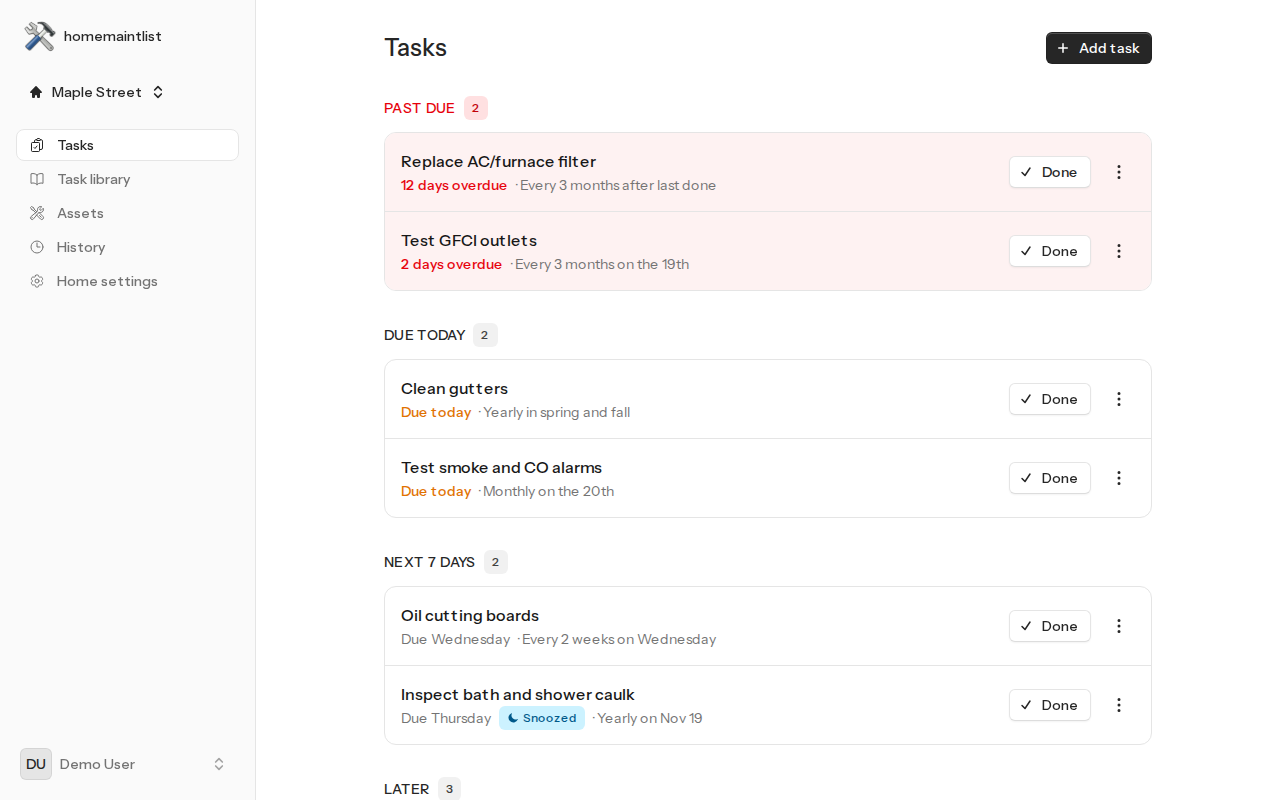
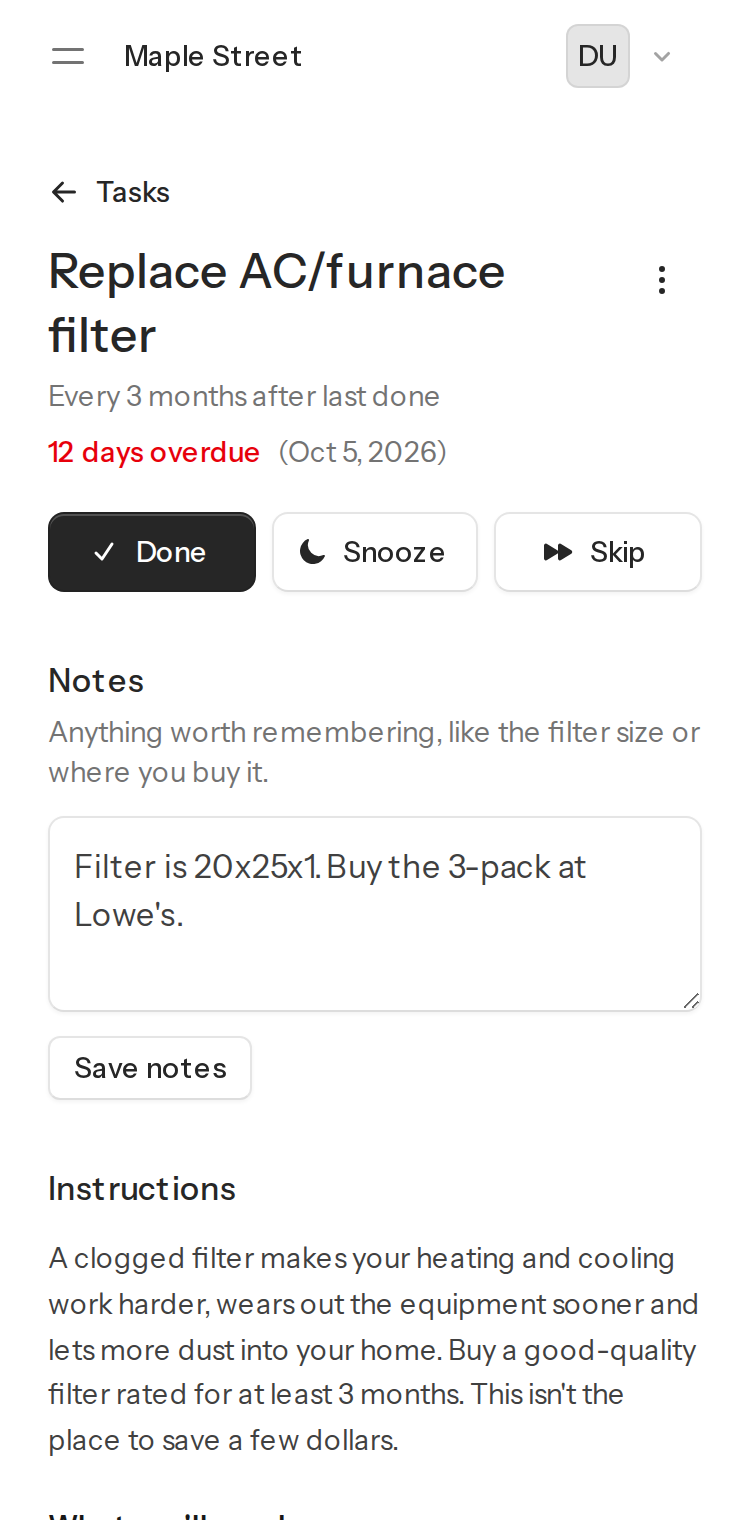
Past-due jobs stand out, everything else is sorted by when it's due, and each job keeps its own instructions, notes and history.
Questions
Is HomeMaintList free?
Yes, and your data is never sold or shared for marketing.
Do I need an AI assistant to use it?
No. The web app works on your phone and computer, and the reminder email lets you mark jobs done or snooze them without signing in. Connecting an assistant is an extra.
Which AI assistants work with it?
Claude works on every plan, including free. ChatGPT works where your plan allows custom MCP servers, mainly Business, Enterprise and Edu. Gemini works with custom apps on personal Google accounts in the US. Any other assistant that supports remote MCP servers with sign-in works too.
What can my assistant see and change?
Only the homes you own or share. It can list, add, complete, snooze, skip, edit and delete tasks and appliance records, and read your history. Creating homes and sharing them stay in the web app. You approve it once, and you can disconnect it any time.
How does it know when seasonal jobs are due?
Your ZIP code sets your climate, so spring jobs come up earlier in a warm climate than in a cold one. You can change any date or schedule.
Does it work for renters?
Yes. Tell it you rent and the suggestions leave out the jobs a landlord normally handles, like the roof and the water heater. You can still add any of them.
Can I share the list with the people I live with?
Yes. Invite them by email. Each person signs in with their own account and gets their own reminders, and the history shows who did each job.
What happens to the list when I sell my house?
Transfer the home to the buyer. They get its task list, history and appliance records, and you can keep your other homes.
Can I get my data out?
Yes. Export your history as a spreadsheet, or download everything in your account as CSV files, any time. Accounts that go unused for 6 months are deleted after a warning email.
Start your list, then start talking
Sign up with Google or Apple. No password to make, and it takes a few seconds.